Checklists every lawyer needs

Share

In his article in Lawyers USA, Jim Calloway observes that while most lawyers use lists and checklists in their practice, they don’t use them enough.

I agree.

Checklists can make you a better lawyer and make you more money. Checklists help lawyers

  • Avoid mistakes
  • Save time
  • Reduce anxiety
  • Impress clients
  • Train temps/new hires, open a new office
  • Increase profits

Every practice should have these checklists:

  • How to open a new file (what goes in the file (and where), letters to send, what to give new client to take home, what to send them, what to calendar, etc.; your intake form is a checklist of information to ask the client)
  • How to close a file (final letters/documents, what to remove/give to client, what to scan, archiving, storage, destruct date)
  • Handling leads/inquiries (what to say, what to do, what to offer, what to send, what to track)
  • How to prepare documents (complaints, responses, motions; trusts, agreements, letters, etc.)

If you handle litigation, you need checklists for:

  • Issues/causes of action
  • Possible defenses
  • Preparation of Complaint/Response
  • Discovery (each element)
  • Trial (pre-trial motions, other motions, evidence, witnesses, jury instructions, closing argument)
  • Post-trial (motions, appeals, judgement, liens, bonds, collection)
  • Settlement

For a transactional practice:

  • Information to request
  • Documents to request
  • Documents to prepare
  • Filing/registration fees
  • Timeline
  • Letters to clients
  • Letters to others

As you can see, this is a very broad list, a place to start. Start with the easy and obvious; add more later. Eventually, you  should have checklists for every aspect of your practice.

An additional benefit of creating checklists is that in the process of creating and updating them, you learn so much about what you and how you can do it better. Checklists will never replace you–your experience, your intuition, your quick thinking–but they can make your job a lot easier.

What checklists do you use in your practice? How have they helped you? What checklists will you put on your “to do” list?

Share

Lawyer TV ad spoof: would you hire this firm?

Share

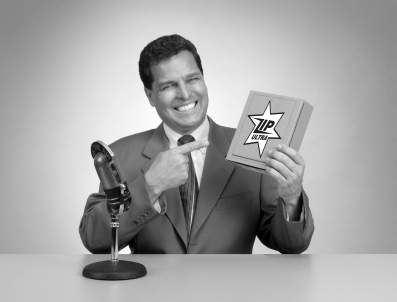
Lawyer TV ads are often criticized for being tacky. “The Tackiest Lawyer Ad. . .Ever,” is a fine example. A lawyer advertising firm, hoping to attract lawyers for their services, created a parody of bad lawyer TV ads, but does it work? Would you hire the firm that created this spot?

[mc src=”http://www.youtube.com/watch?v=xSKe42bxMZ0″ type=”youtube”]Bad ad about bad lawyer ads[/mc]

Do you think this is funny?

I didn’t laugh. Isn’t that the first objective of advertising that purports to use humor? In the first few seconds, I thought this was a cheesy lawyer’s attempt to advertise and I was embarrassed–for him and for our profession. Once I got the joke, I thought, “ah, a spoof, okay, we can all laugh at ourselves once in awhile.” But I still didn’t laugh; did you?

True, parody doesn’t always demand LOL and if this was just someone fooling around and poking fun, well, okay, it worked for some and not for others, but this is an ad by a company that wants us to give them their business.

Would you hire this firm?

The ad says, “lawyers’ ads are tacky and don’t work; we can produce an ad that’s not tacky and does work.” But they use a tacky ad to make that point. Is that good psychology? Is that good advertising?

I don’t think it is. At least not in this case.

If they showed us a successful ad they produced for one of their clients, would that be better? Yeah, I think it would. Show us what you do, not what you don’t do. Ads that demonize or make fun of “the other guy” can sell. But they have to get all the elements right and in this case, I don’t think they did.

What do you think? Click on the balloon above to add your comments.

Share

My take on the ABA list of 30 Books Every Lawyer Should Read

Share

The ABA Journal published a list of books lawyers said they would recommend to other lawyers. So I have some questions for you. My answers are in parentheses.

  1. How many of these books have you read? (Two).
  2. What books are missing from this list? (Anything by Earle Stanley Gardner (Perry Mason); his stories were part of the reason I became a lawyer. Also, To Kill a Mockingbird, also suggested by others. Also, see question number 4 below).
  3. Why are so many of the books on this list so. . . heavy-duty? (It’s the ABA).
  4. Why are there no books on marketing or making a living as an attorney? (It’s the ABA).

Many readers thought there should be a simple list of all of the books, instead of the awkward way the list is formatted on the site. Thanks to a helpful reader, here is the list:

  1. My Life In Court by Louis Nizer
  2. Colossus:  Hoover Dam and the Making of the American Century by Michael Hiltzik
  3. 1861:  The Civil War Awakening by Adam Goodheart
  4. The Story of My Life by Clarence Darrow
  5. Flourish:  A Visionary New Understanding of Happiness and Well-Being by Martin E.P. Seligman
  6. And the Dead Shall Rise: The Murder of Mary Phagan and the Lynching of Leo Frank by Steve Oney
  7. Personal History by Katharine Graham
  8. Invisible Man by Ralph Ellison
  9. Cleopatra: A Life by Stacy Schiff
  10. The Little Prince by Antoine de Saint-Exupéry
  11. Leadership on the Federal Bench: The Craft and Activism of Jack Weinstein by Jeffrey B. Morris
  12. My Personal Best: Life Lessons from an All-American Journey by John Wooden with Steve Jamison
  13. The Death and Life of Great American Cities by Jane Jacobs
  14. The Horse’s Mouth by Joyce Cary
  15. In the Shadow of the Law by Kermit Roosevelt
  16. One L: The Turbulent True Story of a First Year at Harvard Law School by Scott Turow
  17. Simple Justice: The History of Brown v. Board of Education and Black America’s Struggle for Equality by Richard Kluger
  18. The Man to See by Evan Thomas
  19. The End of Anger: A New Generation’s Take on Race and Rage by Ellis Cose
  20. Justice Accused: Antislavery and the Judicial Process by Robert M. Cover
  21. Emotional Intelligence: Why It Can Matter More Than IQ by Daniel Goleman
  22. A Lesson Before Dying by Ernest J. Gaines
  23. The Legal Analyst: A Toolkit for Thinking about the Law by Ward Farnsworth
  24. Cry, the Beloved Country by Alan Paton
  25. A Nation of Immigrants by John F. Kennedy
  26. Respect for Acting by Uta Hagen and Haskel Frankel
  27. The Trial by Franz Kafka
  28. Half the Sky: Turning Oppression into Opportunity for Women Worldwide by Nicholas D. Kristof and Sheryl WuDunn
  29. Justice for All: Earl Warren and the Nation He Made by Jim Newton
  30. Civility: Manners, Morals and the Etiquette of Democracy by Stephen L. Carter

In my opinion, this is a list of books one might recommend to someone thinking of becoming a lawyer, not a list for lawyers. We already drank the Koolaid; give us something to read that will make us happy we did.

Share

Evernote helps lawyers get organized and get things done–part 2

Share

Last week, I wrote about how I use Evernote to organize information. I love having all my information in one place and being able to access that information from anywhere. I also use evernote as a productivity tool, that is, to create and manage tasks and projects.

I’ve tried many other productivity tools–web apps, iPhone apps, desktop apps, even a paper based system. Each has its merits and shortcomings, features and functionalities. Some, I quickly abandoned, either because they had too many features and I got lost in their complexities, or they had too few and I couldn’t do what I wanted. I spent a long time using Toodledo, a powerful web app that syncs to many other applications. I liked it and still recommend it but I moved on because the clunkiness of the web app’s UI impaired its functionality and because Tooldledo doesn’t strictly adhere to  the “Getting Things Done” (“gtd”) methodology that I use.

One app that does follow the gtd approach is Nirvana, and I also used that for a long time. It has one of the best UI’s I’ve seen and isn’t tied to any one platform like some gtd apps for Mac (e.g., Omnifocus and Things). Nirvana will be coming out of beta “soon” and I will definitely consider it again. For now, I’m using Evernote.

Yes, evernote is a note management app, not a task management app, so why I am using it for tasks?

  • I already have all my notes in Evernote and use it daily to manage information; I like the simplicity of having everything in one application;
  • I can easily customize Evernote to suit the gtd methodology;
  • Not only is Evernote platform agnostic, it has an open API and encourages third party developers to create applications that integrate with Evernote, further increasing its functionality. As evernote continues to develop, I can see it playing an even larger role in helping me manage my life.

Evernote does have it’s limitations with respect to task management. For example, while it handles the past quite well, with fields for “Date Created” and “Date Updated,” it doesn’t have a simple way to manage future dates. (If you have an iPhone, Egretlist allows you to use Evernote to manage future tasks–but you have to use the app to do so. Also, one of the finalists in the Evernote developer’s competition has a promising app that seems to have worked around this issue.)

Evernote promises to add a “Due Date” field and this will give users and developers many more options. Until then, there are workarounds. I’ll show mine–a “tickler” system I use with Evernote and my calendar–as well as the rest of my Evernote set up and work flow for getting things done in the next post in this series.
Read part 3 of this series, or go back to part 1.
Share

Evernote helps lawyers get organized and get things done

Share

Thirty years ago, if you asked lawyers what they thought about all the information they had to manage in their practice, I’m pretty sure you would hear words like “swimming,” “drowning,” and “SOS!”. I know that’s what I would have said.

Our files and file cabinets (and desks, and floors, and side chairs. . .) were bursting with information: client data, research, pleadings, discovery, notes, correspondence, memos, briefs, inventories, photos, receipts, transcripts. . . It was a constant challenge to keep up with everything.

Then, we’d come into the office on Monday morning to a pile of mail, phone messages, and a new stack of files, on top of all the unfinished work from the week before. We had to keep up with our reading–case summaries, newsletters, magazines, memos–and we had to make sure our library was current. Law books were updated monthly or quarterly with inserts (remember “pocket parts”?) or loose leaf pages and sometimes, we’d get the latest updates only to find the previous updates unopened in a box on the floor. We had to insert the previous update first, even though many of those new pages were themselves replaced by the most recent update.

The amount of information in our lives was daunting and we often felt overwhelmed.

Wimps! Yes, wimps, I say!

Seriously, look at our lives today. Not only do we have so much more information, it’s everywhere. In our files, on our computers at home, in our email, and on our phones. It follows us, mocking us as we attempt to keep up with the never-ending flow. Just when you think you might be close to ALMOST catching up, another thirty “must read” articles, emails and Google alerts appear and you know there will be another thirty before lunch. Oh, and let’s not forget text, instant messages, tweets and status updates.

Technology has damned us. And technology will save us.

If you’re feeling overwhelmed by all of the information in your life, relax, take a deep breath, exhale, and repeat after me: “I will never get caught up and I don’t have to.”

Because you don’t have to, even if you could. What you do have to do is become a better librarian.

Librarians manage vast amounts of information. They read a lot but they don’t read everything. Instead, they know what they have and where to find it, and if you want to gain control over the tsunami of information that washes over you every day, you need to do the same.

Librarians have a system for processing, storing, and retrieving information. They

  • Collect,
  • Categorize,
  • File, and
  • Find.

They had a system for doing this in the non-digital days (remember card files?) and today, they use technology. You can, too.

. . .if you took away every piece of software I own and left me with Evernote (and an Internet browser) I could run my two businesses, blogs, and personal life without missing a beat.

I don’t practice any more but I still have an immense amount of information I need to manage. After many attempts at other software solutions, today I use Evernote for everything. In fact, if you took away every piece of software I own and left me with Evernote (and an Internet browser) I could run my two businesses, blogs, and personal life without missing a beat. (Actually, I could be 100% cloud-based and use only the Evernote web app instead of the desktop client.)

Evernote allows me to collect, organize, label, and access information (notes, docs, task lists, audios, photos, etc.) at any time from anywhere. My Evernote account syncs my laptop (windows), my iPhone, and “the cloud” (web app). I enter information via my desktop application, via email, and via a web clipper that allows me to capture entire web pages or any portion thereof. With my iPhone (Android and other platforms are also supported) I record audio notes, take photos of a whiteboard or paper notes (or anything else), and enter text notes, and send them directly to my EN account.

Notes are organized via notebooks and tags. I can quickly find whatever I need by browsing or by searching tags and/or key words. I can also share notes and notebooks with my wife or business partners and I can make designated notes (or notebooks) public.

I store everything in Evernote: notes, web clippings, ideas, checklists, pdfs, photos, my copy writing “swipe” list. I’m moving all of “My Documents” into Evernote. Then, I’ll start scanning the mountain of paper notes I have collected over the years and go 100% paperless. In addition to having ubiquitous access to my information, Evernote provides an extra layer of back-up protection. If my computer goes down, my information won’t go down with it. (I also back-up my local EN database via an external drive and via Mozy.)

But I don’t just use Evernote for storage and retrieval, I also use Evernote every day as part of my work flow. I write everything in Evernote (this post started out there) and I use it all day long as (part of) my task management system. (I’ll share my gtd system in a later post.)

Evernote won’t let you jettison your time/billing or document assembly applications and it won’t let you edit videos. It doesn’t create spreadsheets or Powerpoint slides. But for managing large amounts of information, I’ve found nothing better. I’ve used OneNote (and loved it) and before that, InfoSelect (and loved that, too) but Evernote stands in a class by itself.

Evernote is free and there is a paid version with additional capacity and features. Download it and fall in love with it today.

Read Part 2 of this series.

Share