Getting things done when you have “vacation brain”

Share

books reading kindleOne of the precepts of the Getting Things Done or GTD methodology is that it’s not necessary to prioritize your Next Actions in advance, nor is it recommended. For one thing, priorities change. What seems important today might be completely unnecessary a week from today.

Also, priorities are contextual. Picking up a new cartridge for your laser printer is something you do while running errands, not at ten o’clock at night.

Priorities, then, should be established during your daily planning, which I contend should take place the night before, and “in the moment”.

To prioritize, review your action lists and determine what you want to do based on three factors: time, energy, and importance (priority).

So today, I may see a task that is important but will take a block of two hours and I don’t have that much time. Or it requires a fair amount of energy and I’m tired. Or I have lots of time but the task under consideration really isn’t that important. These tasks will have to wait.

Some people partially prioritize tasks as they add them to their lists, noting time (how much time they estimate the task will take) and energy (how much they will need, i.e., low, medium, or high). This way, when they don’t have a lot of time or energy, they can scan their lists to find tasks that match.

I usually don’t prioritize in advance. I add a lot of tasks to my list each day and I don’t want to take the time to think about whether something will take ten minutes or twenty minutes or whether I will need high energy or just medium. To some extent, I make these decisions when I review my lists and often, I simply choose what I am inspired to do.

This week is Thanksgiving week in the United States. Some people are working like crazy to clear their desks before the long weekend and some are already in “vacation mode”. If you are in the latter category, at work but finding yourself unable to get much done, go through your lists and look for low time/low energy activities you can do.

If you have “vacation brain” and don’t have a list of low energy tasks to dig through, or your list doesn’t inspire you to take action, check out this list of mindless, but productive tasks that inspired this post.

Or, if you’re like me, you’ll just catch up on your reading.

Share

“It’s the cases I don’t take that make me money”

Share

“Besides the noble art of getting things done, there is the noble art of leaving things undone. The wisdom of life consists in the elimination of nonessentials.” -Lin Yutang, writer and translator (1895-1976)

Last night, I spoke at an event. One of the topics I talked about was “The 80/20 principle,” aka, “The Pareto Principle,” the idea that a large percentage of our results come from a small percentage of our activities.

Afterwards, I was chatting with a man who works for a bankruptcy attorney. He liked my talk and was telling me about their practice and how busy they were. He quoted something his employer said, but I wasn’t sure I’d heard him correctly so I asked him to repeat it:

“It’s the cases I don’t take that make me money”.

He explained that the attorney was very selective about the cases he accepts. A lot of business comes knocking on his door, but he turns down a large percentage. He turns down the lower-end of the spectrum of clients, the ones who don’t have enough for a retainer, who need installments, price shoppers, etc., in favor of those who can pay his higher than average fees.

A lot of attorneys will take the lower-end clients, figuring that whatever they pay will contribute to overhead. But this attorney understands that those clients would actually cost him money, and not just in the literal sense of “not paying,” but because they would take up a disproportionate amount of time and energy.

And, he doesn’t have the extra overhead he would have if he accepted the lower end clients.

By eliminating as much as eighty percent of the possible client pool, he is able to run a lean and profitable practice. I’m sure he also makes it home for dinner.

Share

Why I’m no Longer a Workaholic Attorney (and How I Got Cured)

Share

workaholic attorney lawyerWhen I opened my own practice, I practically lived at my office. I buried myself in what little work I had and spent the rest of the time organizing files, creating forms, and worrying about how I was going to get some business.

Later on, when I had lots of clients and lots of work, very little changed. I put in long hours at the office or in court, I brought home files at night and on weekends, and when I did manage to take a day off, I was on the phone with my office every couple of hours.

Some people called me a workaholic. What I was was scared s***less.

When I had no clients and no money coming in, I was paralyzed with fear. I looked at the calendar and saw the first of the month approaching and knew there was no way I could pay the rent. I tried everything I could think of to bring in business but I spent even more time distracting myself with busy work.

When I finally had clients and real work to do, I was afraid it wouldn’t last so I buried myself in my work and made as much money as I could, as fast as I could. There was no way I was ever going back to my “lean and hungry” days.

I’m no shrink, but I think workaholic-ism is driven by fear. We may tell ourselves that we love what we do and this might be true to some extent, but it also might be a story we’ve told ourselves for so long that we actually believe it.

Nobody has the right to tell you how to conduct your business and if non-stop work makes you happy, I’m happy for you. Just be honest about it. Don’t kid yourself into thinking this is what you want or this is the way it has to be.

If you’d like to work a bit less and enjoy some of life’s other offerings, you can. I know because I did it.

How did I break free of the fear of losing what I had finally achieved? How did I stop working so many hours and eventually get down to working just three days a week?

I changed my focus.

I no longer focused on things that made me fearful.

Instead of thinking about what I did not want (e.g., being broke) and using that to drive me, I thought about what I did want.

I wanted the feeling of security and strength and power that money brings. I wanted to help people solve problems. I wanted to spend time with my family and to travel. I wanted to be able to read fiction, go to the movies, eat in nice restaurants and wear fine clothes.

There were plenty of things I wanted and when I began to focus on them, instead of what I didn’t want, things began to change.

It was a process. I started with little things. Whenever I found myself thinking about the possible consequences of working fewer hours, for example, I would stop myself and think about going to a book store and browsing for an hour. A pleasant thought for a book lover like me. I relaxed. I stopped thinking about what I didn’t want. It felt good.

Eventually, I didn’t just think about going to a bookstore, I actually went. My world didn’t come crashing down on me. The clients didn’t leave. The work was still there, and so was the money.

Little by little, I trained myself to think about what I wanted and to let go of my fear of losing what I already had.

If you are a workaholic and you don’t want to be, there are many things you can do to let go of the compulsion to work. Try them if they inspire you.

But you don’t really need anything more than to let go of the fear-inducing thoughts that hold you back. Replace them with thoughts of a better future and let those pull you forward.

Wherever you are, whatever you’re doing, keep coming back to your vision of an ideal life, a life of happiness and success, of work that that gives you joy but does not overwhelm. Keep doing this and you will create that life. This is the law of attraction.

Think about what you want, not what you don’t want.

Share

Write or Die: A Simple Solution to Writers’ Block

Share

cure for writers blockI’m not sure I believe in writers’ block. I believe in “no talent” and “no ideas” but writers block? You don’t have trouble speaking, do you? I don’t mean public speaking, I mean vocalizing your thoughts out loud to another human being or into a microphone.

No such thing as “talkers’ block” so why “writers’ block”?

And yet, people who can write, don’t.

It might be perfectionism. I lean in that direction. You don’t want to show anyone your writing until it’s perfect and it never is. But, if writing is important to you, you get over this.

It’s often a lack of time. Attorneys are busy people. All day you’re on the run, and at the end of the day, you’re tired. Weekends, you have chores and you need some family time. You want to write, you know you can write, but days and weeks go by and it doesn’t get done.

You need a deadline.

When you have a deadline, it is amazing how much you can get done. You need to get a pleading filed by a certain date, you do it. You promised an editor you’d finish an article, you do. A deadline holds you accountable. Just ask the IRS.

An example of what can be done when there is a deadline is National Novel Writing Month, aka, “NaNoWriMo”. Every November, participants from around the world commit to writing a 50,000 word novel in 30 days. In case you don’t know, writing 1,667 words a day every day for a month is a tall order; writing 1,667 novel-worthy words is simply astounding.

And yet each year, thousands finish a 50,000 word novel within the 30 days.

The 30 day deadline imposes a daily word quota. Participants use their word processor or text writing app to make sure they write enough words each day so they don’t fall behind. You could do the same thing. Pick a number of words you will write each day and don’t stop writing until you do.

Another technique writers use is to set a timer for ten or twenty minutes and write without stopping until the timer sounds. Then, they are done for the day or if they haven’t met their word quota, they go for another ten or twenty minutes.

This is the Pomodoro technique, which can be used for any kind of task. The idea is that you can do anything for ten minutes, no matter how much you might not want to or how busy you might be. Many books have been written in blocks of ten or twenty minutes a day.

I’ve written about the Pomodoro technique before, and recommended Focus Booster, an app I sometimes use when I need to concentrate.

In reading about NaNoWriMo, I learned about Write or Die, a timer app for writers. It allows you to set a word quota and a time quota. It also allows you to impose a penalty. If you don’t meet your quota or you stop writing before the time limit, the app will play a loud and annoying sound. Weird, but it works.

You can configure the app for different word counts, times, and penalties. In one setting, if you don’t make your quota, whatever you have written up to that point gets deleted. How’s that for accountability!

The app is free and there are paid desktop versions. If you need some help sticking to a writing schedule, Write or Die could be for you. Or, you could have your mother in law call you once a day to ask if you got your quota done.

Share

Slowing down to speed up

Share

Stop running. Yes, I know you have to get to court, crank out a new agreement, and meet with your new client. I know you’re busy and this is how you earn your living. I know that if you don’t do the work you won’t get paid.

Slow down anyway. Better yet, come to a complete stop.

At least for a few hours.

Slowing down allows you to refine what you’re doing so you can do it better, and faster. Just as a race car needs pit stops, so do humans. By taking a break periodically, we can ensure that everything is working properly and that we are on course and on pace. Taking a break allows us to recharge our energy and clarify our focus. It allows us to go faster, assured that we are going in the right direction.

Take some time to evaluate what you are doing and the results you are getting. Are things moving in the direction you want? Is there anything you could do better? What’s working well that could be expanded?

Take some time to look at your calendar. How are you spending your time? What else might you do? Is there something you are doing that you don’t really need to do? Is there something that takes you two hours that could be done in one?

Take some time to rest and reflect on the bigger picture. What big ideas could you start working on that might help you take a quantum leap? Where do you want to be five years from today and what could you start doing today to help you get there?

Take some time to get rid of clutter and distractions. If it doesn’t serve you in some way, eliminate it. Simplify your life so you can focus on what is important and valuable.

Take some time to read things you don’t usually read. Look for ideas and inspiration. Have some fun. Goof off. Go to the movies in the middle of the day. Take your best friend for a long lunch.

And take some time to give thanks for all that you have. When you appreciate the goodness in your life, you attract more of it.

Share

Do you have too many clients?

Share

Attorneys with too many clients to serveMost attorneys say they want to get more clients but if they’re not ready for more clients, it can actually cost them.

If you can’t serve your clients, they aren’t going to stay. You must have the staff and other resources in place to do the legal work and support functions or new clients will leave as quickly as they came.

What about “one time” clients? You’re going to handle their divorce or bankruptcy or injury claim, do their estate plan or handle their closing, and you’ll probably never see them again. Can you have too many of them?

Yes. These clients may not themselves return but if you treat them well, they can and will send you referrals. If you don’t, not only will they not send you new business, they’ll tell everyone they know that you are sloppy or slow and did not do a good job for them.

Taking on too many clients is especially a problem for firms that grow quickly. Legal services do not scale in the same way selling widgets does. We are in a personal service business and we need people to provide that service. It takes time to find the right people, hire and train them. Unbridled growth can cause serious financial problems, inordinate stress, and an increased risk of malpractice for the firm that is unprepared.

Rapid law firm growth is not uncommon. A dramatic upsurge in “intakes” can occur for a variety of reasons. Every firm needs to have a plan in place now, before that growth occurs.

If your practice tripled in the next 90 days, where will you go to find the personnel, the technology, and the other resources you need to accommodate that growth?

Will you partner with another firm? Turn away the smaller business to handle the bigger cases or clients? Will you hire a head hunting firm or consultant?

Start thinking about these things right now, and not just because you need to be prepared. Think about these things because in doing so, you will send a message to your subconscious mind that you are ready for and expecting that growth. You will then start seeing things you need to see and attracting the information and the contacts you need to make that growth a reality.

Too many clients? A nice problem when you’re ready for it.

Share

Are you getting the RIGHT things done?

Share

three most important tasks for todayPeter Drucker once said, “There is nothing so useless as doing efficiently that which should not be done at all.” Far more important than “doing things right,” he said, is “doing the right things”.

Every day, I review my task lists and choose the three “most important tasks” for the day. My most important tasks are those which advance my most important objectives. My “MITs” go at the top of my list and I make an effort to do them before I do anything else. If I get these three things done, I consider it a good day.

Three is a good number, but sometimes there are only two. There are days when a fourth MIT slips through and makes it to my list, but I try to focus on no more than three.

Three MITs keeps me from getting overwhelmed by a longer list and gives me a sense of accomplishment. When I get my three MITs done, I then take care of less important tasks. Or, if it’s early in the day and I feel like it, I might add another MIT to the list.

At times, you may find it difficult to choose three MITs. You may have ten things that MUST get done today. No problem. Of the ten, which three are the MOST IMPORTANT? Make those your MITs and do them first.

Each day, you will have MITs and you will have other tasks. The other tasks may be important and need to be done. They may even be urgent. I’m not telling you to ignore these other tasks. Do them, but whenever possible, do them after you do your MITs.

The GTD methodology helps me to get things done. A daily list of MITs helps me to get the right things done.

Share

Using Followupthen.com email reminder service (with or without Evernote)

Share

Follow up then and evernoteAs you know, I use Evernote for everything: notes, writing, web clips, and task and project management. (Read my posts about how I use Evernote).

A missing element in using Evernote for task management is calendar integration. If I want to see a note on a certain day in the future, I have to manually put a reminder on my calendar, with a link to that note. I calendar “ticklers” to remind me of all kinds of things: reviewing a task, starting a task, calls–anything I need to do or review at a future date.

There is only one issue with this, but one I can live with until something better comes along: The note links that I paste into my Google Calendar aren’t clickable. To find the linked note, I copy and paste the link into a new browser window, hit enter, and the note is launched in my Windows desktop client.

Followupthen.com is an email reminder service that can be used to send reminders to yourself or anyone else (e.g., employees, partners, clients), at pre-set days and times. For example, you can use the service to send yourself an email reminder to call a client three days from today or to begin working on a brief three hours from now.

I’ve tried the followupthen.com service and I like it. It’s easy to use and requires no registration. Simply send an email (To, CC, or BCC) to (time interval) [@] followupthen.com to schedule a future email. The service is free and they have an upgraded version with additional features.

You don’t have to use Evernote to benefit from the Followupthen.com service, but you might want to. Fellow attorney and Evernote lover, Daniel Gold, author of a new ebook on using Evernote for GTD, just posted a video showing how he uses the Evernote Note Links feature with Followupthen.com to remind him of his Evernote tasks:

[mc src=”http://www.youtube.com/watch?v=VAsKUFHlA60″ type=”youtube”]Evernote and followupthen.com reminders[/mc]

Followupthen.com may sound like the ideal solution to Evernote’s lack of calendar integration, but there are two issues that preclude me from using it exclusively:

  1. The Evernote note link that is returned to you in the reminder email isn’t clickable (at least not in my chrome browser). I still have to copy and paste it as I do with links in my calendar. This may not be the case if you use Outlook or another email client, but I still have the extra step I have when using gCal. Of course you can use the reminder without note links but then, once reminded, you have to search to find the note in Evernote.
  2. Email isn’t as reliable as a calendar. If an email doesn’t arrive, or you don’t see it when it arrives, you won’t get another reminder. The corresponding task that lies buried in Evernote (or whatever you are using) might forever be forgotten. On my calendar, when I do my weekly review, I can see all of the tasks I did and did not do that week. To re-schedule a task, all I need to do (on gCal) is slide it to another day.

I recommend Followupthen.com but I don’t see it as the best solution for tracking reminders. I can see using it for reminders in addition to using a calendar or other application, but not as a replacement.

Evernote said they are going to release a “due date” field, at which point we will be able to use Evernote itself or other third party applications for reminders.

If you use GTD and Evernote (or want to) and you want to know how to use the two together, Dan’s ebook is only $5. (My review). Dan is currently running a promotion and will be giving away one year of Evernote Premium.

If you are new to Evernote and want to get up to speed quickly, Brett Kelly’s “Evernote Essentials” ebook is highly recommended.

What are your thoughts on Followupthen.com and Evernote reminders?

Share

Save time by not filing email; study proves search is quicker

Share

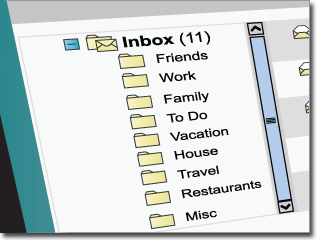
Filing emails in folders, or adding labels to them, doesn’t make them quicker to find. According to a study by IBM Research, it’s quicker to find them by searches.

“Finding emails by searches took on average 17 seconds, versus 58 seconds finding the emails by folder,” the researchers concluded. “The likelihood of success – that is, finding the intended email – was no greater when it had been filed in a folder.”

The time spent filing email, in addition to the added time spent retrieving it, can add 20 minutes a day to your workload, the study concluded. A comment to the article questions whether this is true under real world conditions:

In the majority of scenarios, searching is more efficient, however if you forget. . . the metadata [key words]. . . related to the email, then your search efforts are going to be quite difficult. On the other hand, if you remember that you simply filed the email under the “important” folder, then odds are you may only be a few clicks away. In a black and white world, yes searching is more efficient, however there are still valid purposes to using folders.

My plan to achieve email inbox zero calls for me to get rid of all but one label and rely on Gmail’s search capability. I’m pretty sure I won’t miss having more labels since I don’t use the 50 I currently have. But my view is colored by my use of Evernote to file important emails and to manage tasks and projects.

In Evernote, I tag everything (and sometimes also add key words to the body of the note). The difference though is that I don’t “file” all my email this way, just the actionable or otherwise important ones which constitute less than 5%.

I found most interesting the researchers conclusion that most people don’t file emails in folders to make it easier to find them so much as to remove from view the overwhelming volume of email. They pare down the inbox so that they can use it for task management, which the study implied was not efficient.

If they used Evernote like I do, they wouldn’t have to spend as much time filing all of their email in the right folders, they could simply send the important ones to Evernote and archive the rest.

Share

Evernote and my plan for achieving “Inbox Zero”

Share

I have tens of thousands of emails in my Gmail inbox. At last count, 16, 503 are unread. I have over 50 labels set up. I don’t use any of them. It’s a mess

When I first learned about Inbox Zero I swooned. The idea is intoxicating. When your inbox is empty, you are no longer overwhelmed by email. You are in control. You enjoy a Zen-like feeling of tranquility. You process your email inbox once or twice a day, keeping it at zero. You have a “mind like water”.

I loved the idea, but the thought of going through tens of thousands of emails was about as appealing as a state bar complaint.

Email has long been the final frontier in my productivity makeover. I’ve resisted changing for a long time. But now, I have a plan.

My plan involves my favorite productivity tool, Evernote, which I use for collecting information and managing my projects and tasks. I use it all day long, in every part of my work flow, as my tool for Getting Things Done. Read my previous posts on how I use Evernote for getting things done.

Right now, when I get an email that requires action of any kind (a reply, a call, review, read, etc.) or that is related to a project I’m working on, or is something I want to keep for reference purposes (receipts, newsletter ideas, research, documents, etc.), or something I am waiting for, I forward that email to Evernote. I then tag it and incorporate it into my gtd system.

If an email requires a reply that will take no more than two minutes, I do it. I may also send a bcc to Evernote.

Sometimes, I get emails requiring action that I don’t send to Evernote. An example is an email I got recently from someone I hadn’t spoken to in a long time. I didn’t want to dash off a quick reply, I wanted to give it some thought. In this case, I added a @Reply label and archived the email in Gmail. When I’m ready to reply, the label will help  me find it.

Yes, I could also send these to Evernote, but I like having the orignial email connected to my reply. And, if I do send it to Evernote, I want to do so after I’ve replied, so I have both the original email and my reply in one Evernote note.

So, here’s my plan for achieving email bliss using Evernote and Gmail:

First, when I have some quiet time, (this will probably require several sessions), I will go through my Gmail inbox, scanning (not reading) and quickly doing the following:

  1. Unsubscribing from newsletters I don’t read.
  2. Adding @Reply label to anything I need to reply to that will take more than two minutes but does not need to be tracked.
  3. Sending Action and Reference items to Evernote.
  4. Trashing or archiving everything else.

Once my email inbox is empty, as new emails come in, I will review and process them, as follows.

  • If it requires a response or action that will take two minutes or less, I will do it, then Archive it; if I want to, I can also send a bcc to my Evernote account.
  • If it will take more than two minutes but I don’t need to keep notes, add it to a project, or track it, I will label it @Reply and do it as soon as possible.
  • If I’m waiting for a reply or for something to occur, I will send it to Evernote (and add a @Waiting tag).
  • If it’s something I want to keep for reference, an important email, an exemple of a good sales letter, a receipt, or something I want to read later, I will send it to Evernote.
  • All other emails will go into Archive or get trashed. At day’s end, I will again have an empty Inbox and an empty mind.

The premise behind all of this is to identify emails that need action. That’s key. Everything else is reference and can be found through search.

Note, I will use just one label in Gmail, @Reply. I am open to adding others down the road, but only if they truly serve me. For example, I may find it easier to label emails @Read/Review in Gmail, rather than sending them to Evernote for that purpose. I may also add labels for specific projects, or use them temporarily (e.g., for promotions). But for now, one label will do.

Wish me luck. I’ll let you know how it goes.

Have you achieved “Inbox Zero”? What do you think of my plan?

Share